
How to Create Digital Products from Idea to Launch
So, you're thinking about creating a digital product. It all starts with a simple idea: find a problem, build a solution - like an eBook or a template - and sell it. The real secret is to start with a tangible solution that meets a specific need for a real audience. From there, you can build anything.
Why Digital Products Are Your Next Big Move
Have you ever considered turning what you know into an asset that works for you 24/7? That's the beauty of digital products. It’s not about some "passive income" fantasy, but about building a genuinely scalable business with next to no overhead. The barrier to entry is lower than ever, which means anyone with a unique skill or insight can jump in and become a creator.
The digital marketplace isn't just growing - it's exploding. By 2025, the industry is projected to generate over $2.5 trillion in annual value. That massive number is fueled by real people and their habits. In fact, 68% of internet users pay for digital content every single month, making the demand for quality templates, eBooks, and courses undeniable. This creates a huge opening for independent creators to carve out their own space. You can learn more about the incredible growth of the creator economy on Whop.com.
From Consumer to Creator
The biggest hurdle is often mental - switching from a consumer mindset to a creator mindset. So many people get stuck because they think they need fancy, expensive tools or a massive social media following to even begin. The truth is, the most successful products are often the simplest ones that just solve one problem really, really well.
The real value of a digital product isn't its complexity, but its ability to deliver a specific, tangible outcome for the customer. It saves them time, solves a frustration, or teaches them a valuable skill.
The Benefits of Building Digital Assets
Digital products have some incredible advantages over physical goods, making them a fantastic starting point for new entrepreneurs or a great addition for established business owners.
- Scalability without Limits: You build it once, and you can sell it forever. There are no extra production costs, whether you sell one copy or a million.
- Minimal Overhead: Forget about inventory headaches, shipping logistics, or storage fees. You can run the whole operation from your laptop with just a few key pieces of software.
- Flexibility and Freedom: Digital products help you separate your time from your income, giving you more control over your life. Building these assets is all about working smart, which is why it’s so important to learn how to improve work efficiency right from the get-go.
This guide is designed to walk you through the entire process, from sparking that first profitable idea all the way to making your first sale.
Finding and Validating Your Winning Product Idea
Every great digital product starts with a simple goal: solving a real problem for a real person. We've all heard the advice to "follow your passion," but honestly, the most profitable products I've seen come from creators who listen intently to the communities they want to serve.
The best ideas aren't usually lightning-bolt moments. They're hiding in plain sight, disguised as complaints and frustrations. Spend some time lurking in Reddit communities, Facebook groups, or Twitter threads where your target audience hangs out. Look for those repetitive questions. "Does anyone have a template for X?" or "I'm so sick of doing Y manually." These are flares, signaling a genuine need.
This is where the real work of market research begins - listening, observing, and connecting the dots.
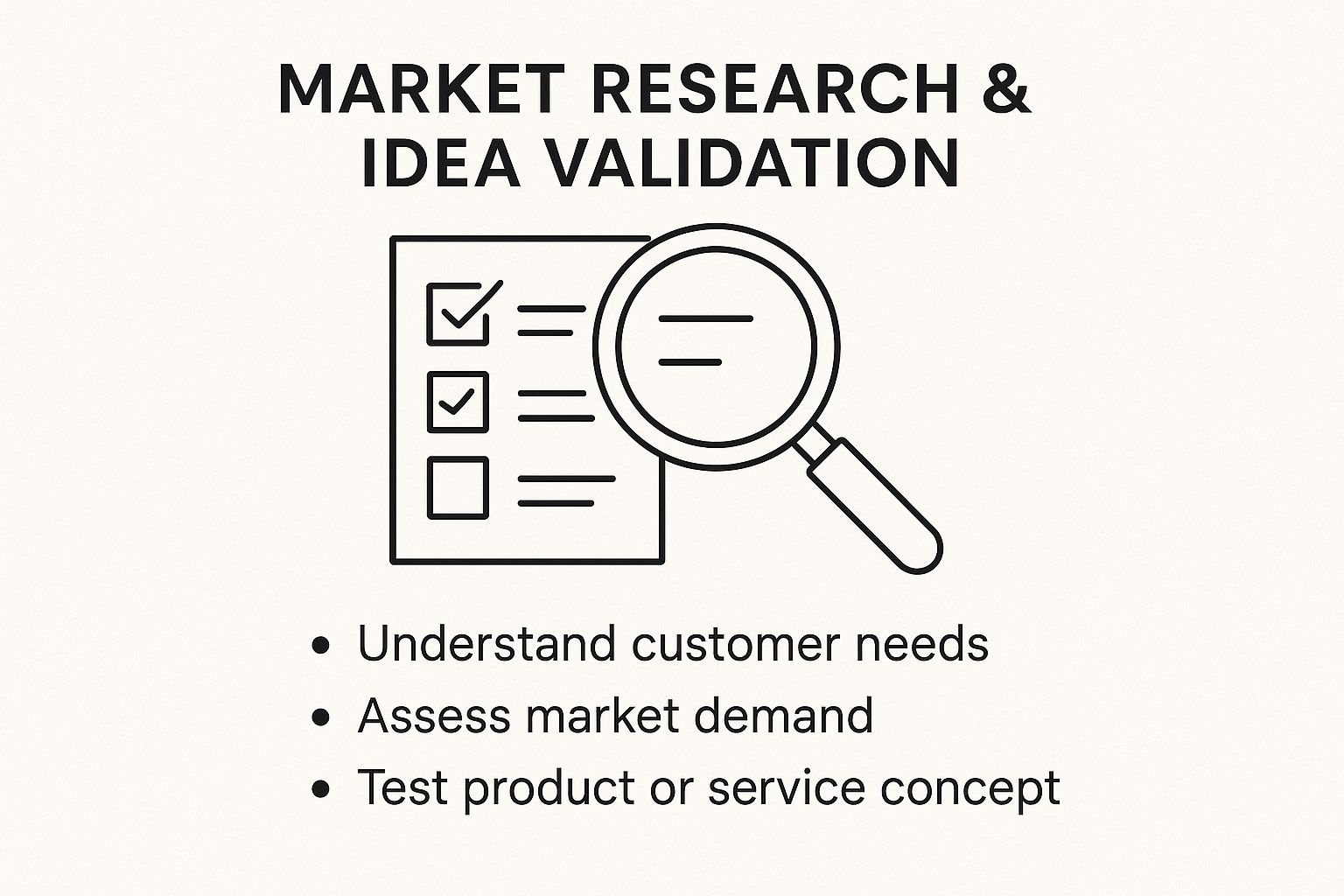
It’s about blending what you see people struggling with and getting direct feedback to make sure it’s a problem worth solving.
Look for Gaps and Inefficiencies
Another fantastic tactic is to see what your competitors aren't doing. Go find other digital products in your niche and dive into their customer reviews. The praise is nice, but the complaints are where the gold is. A competitor's one-star review can literally be the blueprint for your five-star product.
Don't forget to look inward, too. Think about your own daily workflow. Have you cobbled together a custom spreadsheet or a slick Notion template to make your life easier? Chances are, others in your field are wrestling with the same bottleneck. This is probably the most organic way to create a product because you're customer zero. It’s also a great way to start if you want to eventually learn how to automate repetitive tasks and build even more powerful solutions.
Validate Before You Build
If there's one mistake I see new creators make over and over, it's this: they spend months building a product in isolation, only to launch it to the sound of crickets. Validation is the crucial step that prevents this. Your goal is to get a clear signal that people will actually pay for your solution before you pour your heart and soul into building it.
Validation isn’t about asking friends if they like your idea. It’s about getting strangers to take an action - like giving you their email address or their money - that proves genuine interest.
You don't need a huge budget or a complex strategy to test the waters. There are a handful of practical methods you can use to get real-world feedback quickly.
Practical Methods for Validating Your Digital Product Idea
| Validation Method | Effort Level | Cost | Best For |
|---|---|---|---|
| "Coming Soon" Landing Page | Low | Low to None | Gauging initial interest and building an email list. A strong signal is getting 50-100 subscribers. |
| Run a Quick Survey | Low | Free | Understanding your audience's pain points without pitching your solution. Use Google Forms to get started. |
| Offer a Pre-Sale | Medium | Low | The ultimate test. Getting people to pay for a product before it's finished is a massive win. |
| Create a "Minimum Viable Product" | Medium-High | Varies | Building the simplest possible version to see if people will actually use it and provide feedback. |
These methods are all about de-risking your project. By confirming there's an eager audience before you build, you ensure you're creating something people are genuinely excited to buy.
Building Your First Digital Product
Alright, you've got a solid idea that people actually want. Now for the fun part: making it real. This isn't about creating a flawless masterpiece right out of the gate. It's about getting down to business and building a simple, user-friendly product that solves the problem you found.
We're going to stick with tools that are both powerful and easy to get started with. The idea is to build a "minimum viable product" (MVP) that gives your first customers a win, fast. You can always add more features and polish things up later based on what they tell you.
This is where theory ends and practice begins. Let's walk through how to build a couple of the most popular types of digital products using tools you can start with today.
Creating Information Products with Notion
Notion has completely changed the game for information products. It’s perfect for building things like mini-courses, detailed guides, curated resource hubs, and even slick client portals. What makes it so good is its incredible flexibility - you can seamlessly blend text, images, databases, and other content into one organized space.
Let’s say you’re putting together a “Freelancer Starter Kit.” Instead of a clunky PDF, you can build an entire interactive dashboard in Notion. The main page could serve as a clean, simple hub that links out to different sections, which keeps things from feeling overwhelming.
Your kit could include things like:
- A "Client Onboarding" checklist that your customers can duplicate with one click.
- A "Project Tracker" database set up as a Kanban board to manage their workflow.
- A "Resource Hub" page with your hand-picked list of essential tools and articles.
- Embedded Widgets from a tool like Widgetly to add a professional touch. Think a time tracker or even a payment form right inside the Notion page.
The real power here is that you're not just selling information; you're building a functional system that helps your customer get a specific result. That's a huge step up from a simple document they just read and forget.
Designing Visual Products with Canva
When your product is all about the visuals, Canva is your best friend. It’s the go-to for creating beautiful eBooks, workbooks, social media templates, or digital art. The platform is incredibly intuitive, and its massive library of templates gives you a fantastic starting point.
Imagine you're designing a pack of 50 social media templates for small business owners. Don't just throw 50 random designs together. The real value comes from providing a solution. You could structure the pack by content type, making it instantly more useful.
- Promotional Posts: Sleek templates designed to announce sales and offers.
- Educational Carousels: Multi-image templates perfect for sharing tips.
- Engagement Prompts: Fun designs for asking questions and running polls.
- Testimonial Graphics: Clean, professional layouts for showcasing customer reviews.
By organizing it this way, you're not just selling "pretty pictures" - you're selling a content strategy. When you're designing, stick to a consistent color palette and font pairing. The goal is to make it dead simple for your customer to pop in their own branding and get going.
Pro Tip: Always, always start with an outline. It doesn't matter if it's a Notion system or a Canva workbook. Sketching out the structure and content flow first will save you a ton of headaches and lead to a much better final product.
Ultimately, building that first product comes down to picking the right tool for the job and focusing on a clear, tangible solution. Don't get stuck trying to make it perfect. Get a solid version 1.0 out there, see how people use it, and then make it even better.
How to Price and Package Your Product
The way you present and price your product is just as important as what's inside. I've seen incredible products fall flat because the offer was confusing, and I've seen simple products fly off the virtual shelves because they were packaged perfectly. This is where you put on your marketer hat.
Your main job here is to sell the transformation, not just the tool. Nobody is really buying a budget template; they're buying the feeling of financial control and peace of mind. They aren't just purchasing social media graphics; they're buying a polished brand and hours of their time back. Always frame your product around the results it delivers.
Choosing Your Pricing Model
Okay, let's talk money. Figuring out how much to charge can feel paralyzing for new creators. There's no magic formula, but knowing the common models will help you find the right fit for what you've built.
-
One-Time Payment: This is the most straightforward route. Your customer pays once and gets access forever. It works beautifully for things like eBooks, template bundles, and standalone guides. The exchange is clean, simple, and customers know exactly what they’re getting.
-
Tiered Packages: This is a personal favorite for boosting revenue. You create a few different versions of your product - think Basic, Pro, and Premium. The basic version might be the core template, but the Pro tier could add a video tutorial, and the Premium tier might include a one-on-one coaching call. This approach lets you cater to different budgets and needs. Look at how your favorite software tools structure their plans for some great real-world examples.
-
Subscription or Membership: This model can create predictable, recurring revenue, but it comes with a catch: you have to provide ongoing value. This could be monthly content drops, access to a private community, or regular support. While subscriptions currently make up 57% of digital goods revenue, it's important to be realistic about your ability to keep delivering. If you can't commit to that, a one-time payment is a safer bet. You can dive deeper into these trends on Mordor Intelligence.
Crafting an Irresistible Offer
With your pricing sorted, it's time to package everything up into an offer that feels like a total no-brainer to your ideal customer. A powerful offer is all about a clear value proposition and a professional look.
Your product description should focus less on what it is and more on what it does for your customer. You need to answer their unspoken question: "How will this make my life better, faster, or easier?"
Don't just show a flat screenshot of your product. Use high-quality mockups to help people visualize themselves using it. A plain image of a PDF is forgettable, but showing that same PDF displayed on a slick tablet or laptop screen makes it feel tangible and far more valuable. You can easily create these with tools like Canva, which has built-in mockup generators.
When you bring it all together - your benefits-driven copy, your clear pricing, and your professional mockups - you create a sales page that smoothly guides people from simply being interested to confidently clicking "buy."
Time to Launch: Picking a Platform and Getting Your Product Out There
You've built it, you've polished it, and it's ready to go. Now for the exciting part - getting your product into the hands of people who need it. This final stretch is all about choosing the right place to sell your creation and pulling off a simple, effective launch that builds momentum from day one.
Figuring out where to sell your digital product can feel like a huge decision, but it really comes down to two main paths for most creators: using a third-party marketplace or setting up your own little storefront.
Marketplaces like Gumroad and Etsy are lifesavers when you're just starting out. They take care of all the tricky stuff - payment processing, secure file delivery, checkout pages - and in return, they take a small cut of each sale. This means you can go from "finished product" to "for sale" in just a few hours. The flip side? You have less control over your branding and the fees can add up.
Your Launchpad Options
| Platform Type | Best For | Key Advantage | Potential Downside |
|---|---|---|---|
| Marketplaces (Gumroad, Etsy) | New creators and first-time sellers | Incredibly easy setup with built-in payment processing. You can start selling almost immediately. | Higher transaction fees and you're essentially building on "rented land." |
| Your Own Storefront (Shopify, Carrd) | Creators who want full brand control | Total command over the customer experience and lower fees in the long run. | Requires more setup time, and you're responsible for driving all the traffic yourself. |
Honestly, for your first product, simplicity is your best friend. I almost always suggest starting with a platform like Gumroad. It gets all the technical roadblocks out of your way so you can pour all your energy into marketing and listening to what your first customers have to say.
A Simple, No-Fuss Launch Plan
Forget what you think you know about launches. You don't need a massive social media following or a giant marketing budget to make a splash. The real goal is to build genuine buzz with the audience you already have, no matter the size. A great launch just needs a little excitement and a clear reason for people to buy now.
Your email list is your secret weapon. These are folks who have already opted in to hear from you. Start dropping hints about your new product a week or two before it goes live. Share some behind-the-scenes peeks of your process and talk about the specific pain point it's designed to fix.
A successful launch isn't about reaching everyone. It's about reaching the right people with an offer so good they feel like it was made just for them.
Creating a little bit of urgency with a special launch offer is a classic for a reason: it flat-out works.
- Roll out an "Early Bird" Discount: Offer a sweet deal to your first 25-50 customers. This is a great way to reward your biggest supporters and lock in those crucial first sales and reviews.
- Make it Shareable: Create a handful of social media posts that clearly explain the transformation your product delivers. Use those slick mockups you made to catch people's eye and make it look professional.
- Follow Up with More Value: Once someone buys, your job isn't done. Send a follow-up email to say thanks and share a quick tip on how they can get the most out of their purchase. This small touch builds massive goodwill and can turn a one-time buyer into a long-term fan.
By pairing the right platform with a focused launch plan, you'll be well on your way to turning all that hard work into a real, money-making asset.
Got Questions About Creating Digital Products? Let's Clear Things Up.
Diving into digital products for the first time? It's totally normal to have a head full of questions. One minute you're buzzing with ideas, the next you're wondering where to even start. I've been there.
Let's walk through some of the most common questions I get from creators just like you, so you can stop second-guessing and start building.
What Digital Products Actually Make Money?
It’s easy to get caught up in trends, but a few categories consistently do well. Think online courses, specialized templates (for tools like Notion or even Google Sheets), and well-researched eBooks.
But here’s the real secret: the most profitable products aren’t about the format. They’re about solving a very specific, very real problem for a particular group of people. If your product saves someone time, makes their job easier, or helps them learn a valuable skill, they will gladly pay for it.
How Much Money Do I Need to Start?
Honestly, this can range from $0 to thousands. You can create an entire set of Notion templates or a comprehensive eBook with tools you probably already use, like Notion itself or Google Docs. No budget required.
Your first product doesn't need a big budget; it needs a big impact. Focus on creating value first, and you can reinvest your initial earnings into more ambitious projects down the line.
On the other hand, if you're dreaming of a polished video course with high production value or a custom software tool, you'll need to account for things like equipment, hosting, and maybe even developer fees. My advice? Start small. Create what we call a "minimum viable product" (MVP) to test your idea and bring in some cash before you go all-in on a bigger investment.
Do I Need a Huge Following to Make Sales?
Absolutely not. This is probably the biggest myth out there. Having a massive audience is nice, but it's not a must-have for a successful launch.
What you really need is a small, dedicated community that trusts you. I've seen creators have incredible launches with just a handful of true fans on their email list. It’s all about the connection you’ve built.
Forget chasing huge numbers. Instead, focus on providing genuine value to the audience you have right now, no matter how small. A loyal community will always, always beat a massive, disengaged one.