
How to Organize Work Tasks and Boost Productivity
Organizing your work is really just about getting everything out of your head and into a system you can trust. It boils down to a simple rhythm: capture every task, sort them into logical groups, and then figure out what needs your attention first. This little process is what takes you from constantly putting out fires to being in control of your day.
Build Your Foundation for Task Organization
We've all been there—staring at a to-do list that feels like it's a mile long. It's an awful, overwhelming feeling, but it’s completely fixable. The first step toward getting clear isn't about downloading the newest, shiniest app. It’s about building a solid, reliable foundation for how you handle everything on your plate.
It all starts by getting every single task—big, small, urgent, or "someday"—out of your brain and onto paper (or a screen). This simple act stops important things from getting lost in the shuffle and frees up a surprising amount of mental energy.
The Power of a Brain Dump
I always tell people to start with a good old-fashioned brain dump. Seriously, just set a timer for 15-20 minutes and write down every single thing you need to do. Don't judge, don't organize, just write. Get it all out.
- Personal stuff: "Schedule that dentist appointment," "Buy a birthday gift for Mom."
- Work projects: "Draft the Q3 report," "Chase down the design team for feedback."
- Vague ideas: "Look into new marketing ideas," "Finally organize my Google Drive."
The whole point is to create a master inventory of your commitments. It's your ground zero. Seeing it all written down might feel a little scary at first, but trust me, it's the only way to truly get a handle on it.
A disorganized task system is like trying to run your brain with too many tabs open—it just slows everything down. When you write it all down, you offload that mental weight, which frees you up to actually think and solve problems.
From Chaos to Categories
Okay, you've got your massive list. Now it's time to bring some order to the chaos. This is where you turn that scary wall of text into a manageable plan. Don't just sort by project; think about adding context that reflects how and where you actually work.
For instance, I like to group my tasks by:
- Energy Level: I have a list for "Deep Focus" (like writing a proposal) and another for "Low Brain Power" (like answering simple emails). This lets me match my work to my mental state.
- Location: Using tags like
@Office,@Home, or@Callsis a game-changer. It helps you batch tasks together, so you’re not jumping between different modes of work. - Time Required: I tag tasks with
15-minor1-hour+. When I suddenly have a 20-minute gap between meetings, I can immediately find a quick win instead of wasting that time.
Before we dive into the nitty-gritty of prioritization, let's quickly recap the core ideas that underpin any good organizational system. These are the principles that will keep you on track.
Table: Core Concepts for Organizing Your Work Tasks
This table provides a quick summary of the foundational ideas for managing your workload effectively.
| Concept | What It Is | Why It Matters for You |
|---|---|---|
| Capture Habit | The practice of immediately writing down any new task or idea that comes to mind. | It prevents tasks from being forgotten and clears your head, reducing mental clutter and anxiety. |
| Brain Dump | A dedicated session to list every single commitment, task, and idea in one place. | It creates a complete inventory of your responsibilities, giving you a clear picture to start from. |
| Contextual Categories | Grouping tasks based on factors like location, energy level, or tools needed. | This makes your to-do list more actionable by helping you choose the right task for the right moment. |
| Trusted System | A single, reliable place (digital or physical) where all your tasks and notes live. | It builds confidence that nothing will fall through the cracks, allowing you to focus on the work itself. |
Getting these basics right is what makes everything else work.
This whole process of capturing and categorizing is the bedrock of any system that actually works in the real world. It moves you from being a slave to your inbox notifications to being the one who decides where your focus goes. Once you have this structure in place, you're ready to start prioritizing like a pro.
Find the Right Prioritization Method for You
So, you’ve got a complete list of your tasks. That's a huge step forward. But now you’re staring at it, and it feels like a mountain you have no idea how to climb. This is where most people get stuck. How do you actually decide what to tackle first?
The truth is, there’s no single magic bullet. The real key is having a few solid prioritization methods in your back pocket that you can pull out depending on the situation.
Choosing the right framework can turn that overwhelming list from a source of stress into a clear, actionable plan. It’s not just about feeling better, either—it actually works. Businesses that use structured project management see 38% more projects hit their original goals compared to those without a clear system. It all comes down to setting deadlines, prioritizing what matters, and connecting your daily grind to the bigger picture.
This decision tree gives you a simple way to think about handling any new task that lands on your plate, from the moment you capture it to the moment you schedule it.
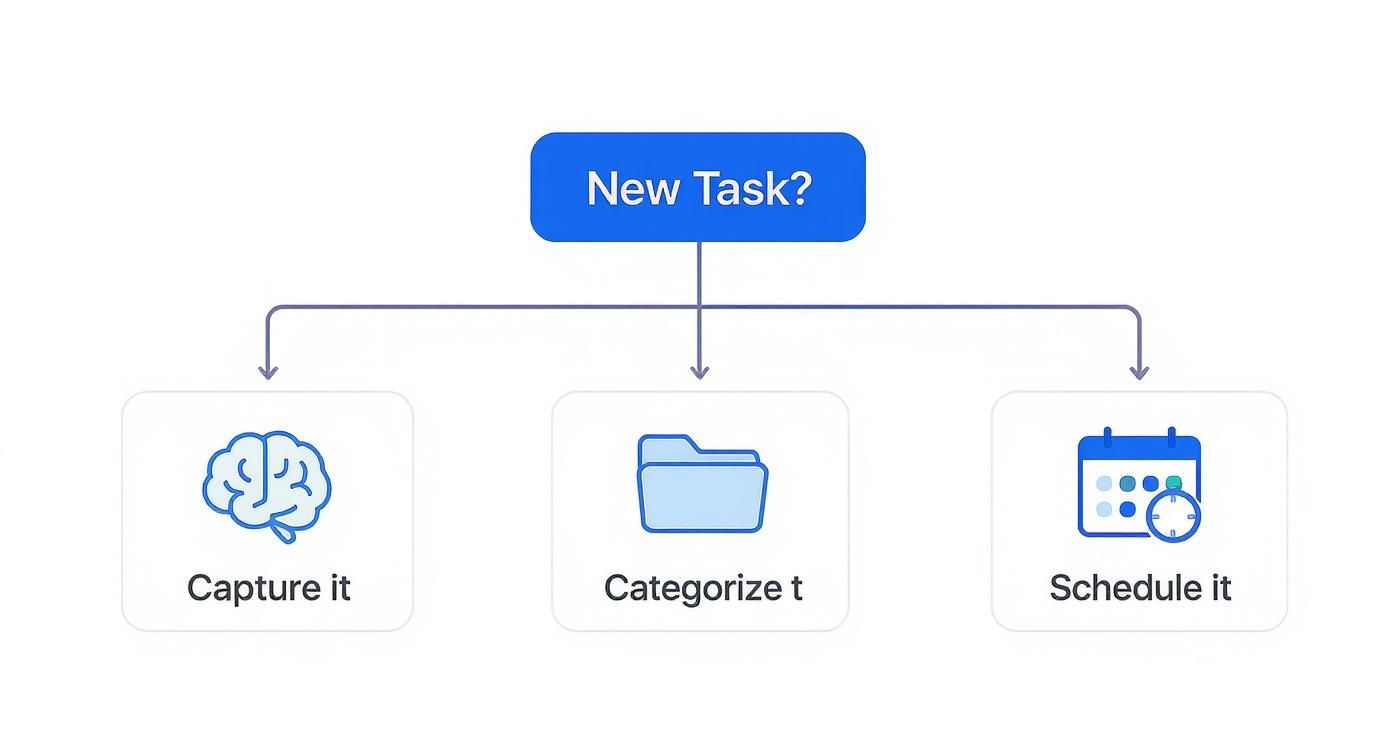
The main idea here is that every single task needs a home. By giving each one a deliberate path, you make sure nothing falls through the cracks.
Quick Daily Decisions with the Eisenhower Matrix
For sorting through the daily chaos, the Eisenhower Matrix is a total lifesaver. It’s a simple four-quadrant grid that helps you categorize tasks based on two simple things: urgency and importance. This little exercise is brilliant for escaping the "urgency trap"—that frantic feeling of putting out fires all day without ever making real progress on your goals.
Let's imagine you're a freelance designer. Here's how it might look:
- Urgent & Important: A client email pops up about a project deadline that's today. Do this immediately.
- Not Urgent & Important: You need to draft a proposal for a fantastic new lead. Schedule time for this.
- Urgent & Not Important: A non-critical team chat message buzzes. Delegate it or give a quick reply later.
- Not Urgent & Not Important: Mindlessly browsing for new design inspiration. Scrap it, or save it for downtime.
This forces you to pause and think critically about where your energy is best spent. It’s perfect for that first-thing-in-the-morning planning session.
Distinguishing between what's screaming for your attention and what's actually important is how you shift from a reactive to a proactive mindset. It’s a game-changer for taking back control of your day.
Planning Complex Projects with the MoSCoW Method
When you're juggling a much larger project with a ton of moving parts, the Eisenhower Matrix might feel a bit too simplistic. That’s where the MoSCoW method comes in handy. It’s a framework designed specifically to get everyone on a team aligned about what’s truly critical.
MoSCoW breaks everything down into four clear categories:
- Must-Have: These are the non-negotiables. The project literally fails without them.
- Should-Have: Important, for sure, but not absolutely vital for success.
- Could-Have: These are the "nice-to-have" features you'll add if time and resources allow.
- Won't-Have: Things that are explicitly out of scope for right now.
Think of a team manager launching a new software feature. The "Must-Haves" are the core functions, while the "Could-Haves" are the extra bells and whistles. This simple act of categorization prevents scope creep and keeps the team focused on shipping what matters most.
We actually have a whole guide if you want a deeper dive into how to prioritize work tasks using different frameworks.
By arming yourself with a couple of distinct methods like these, you’ll be ready to bring order to any to-do list, no matter how intimidating it seems.
Choose Your Task Management Tools Wisely
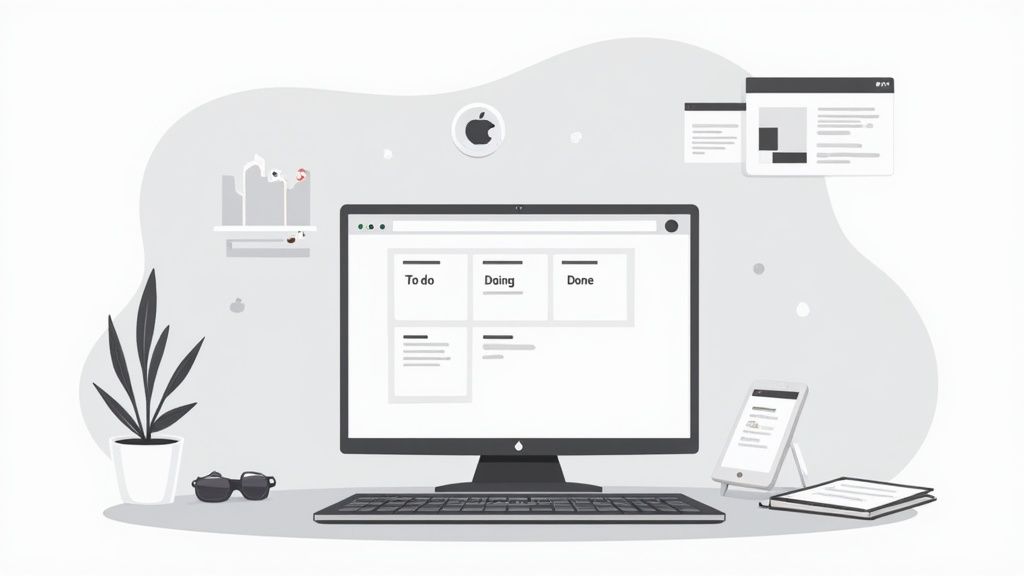
Let's be honest: your whole system for organizing work tasks lives and dies by the tools you use. The most brilliant prioritization framework in the world won't do you any good if your app is clunky, confusing, or just doesn't vibe with how you work. Finding the right software isn’t about jumping on the latest trend—it's about finding a digital partner that genuinely makes your life easier.
The market is absolutely flooded with options, and every single one claims to be the magic bullet. To cut through that noise, start by looking at the scale and type of work you actually do.
- Flying solo? For individual focus, a simple, clean list-based app like Todoist or Microsoft To Do is usually all you need. They're fantastic for capturing thoughts and organizing your personal workload without a bunch of features you'll never touch.
- Working with a crew? When you’re managing projects with other people, you need something more powerful. This is where platforms like Trello or Asana shine, with visual Kanban boards and shared timelines that make it easy to see who’s doing what and when.
Getting this right is critical. Trying to run a complex team project from a simple to-do app is a recipe for chaos. On the flip side, using a heavy-duty project management tool for your grocery list is just overkill.
Finding a Tool That Fits Your Brain
The best tool is always the one that feels intuitive to you. If you're a visual person, you might fall in love with the card-based layout of a Kanban board. There's something deeply satisfying about physically dragging a card from "In Progress" to "Done" that a simple checklist can't replicate.
But maybe you think in a more linear, structured way. In that case, a straightforward, hierarchical list might feel much more natural and effective. It's less about which tool has the most features and more about which one aligns with how your brain is wired. If you want a deeper dive, our team put together a helpful guide on the best project management software for small businesses that breaks down the pros and cons.
Your task management app should reduce your mental clutter, not add to it. If you feel like you're constantly fighting the software just to stay organized, it’s the wrong software.
Making Your Priorities Visible
A great plan is useless if it's buried in an app you never open. This is where we need to bridge the gap between planning and doing. The secret to a truly effective workflow is keeping your top priorities front and center all day long.
This is exactly why desktop widgets are becoming such a game-changer for anyone serious about how to organize work tasks. For instance, a Widgetly widget can sit right on your desktop, pulling in your top three tasks for the day directly from Notion.
It’s a simple, persistent reminder that keeps you anchored to what truly matters, steering you away from the endless stream of emails and notifications. It's a small tweak, but it has a massive impact. Instead of having to consciously open an app to check your list, your priorities are just there, subtly guiding your focus. That constant visual connection is what turns a good system into a great one.
Create Daily Habits That Actually Stick
You can have the most brilliant system for organizing your work, but it’s completely useless if you don't actually use it. The real secret isn't finding the perfect app; it's building simple, repeatable routines that make staying organized feel automatic, not like another chore on your to-do list.
Getting into a solid rhythm is what keeps you from burning out and feeling constantly behind. It's all about creating a sustainable framework that supports your goals without requiring a heroic effort every single day.
The Daily Shutdown Ritual
I've learned over the years that how you end your workday is just as crucial as how you start it. A daily shutdown ritual is your secret weapon for closing out the day, clearing your head, and teeing up a successful tomorrow. It’s the signal your brain needs to know the workday is officially over, allowing you to properly disconnect.
Your ritual doesn't need to be complicated. In fact, simpler is better:
- Take five minutes to glance over what you finished today.
- Do a quick check of your calendar for tomorrow.
- Decide on your top 3-5 priorities for the next day.
- Tidy up your desk—both the physical and the digital one.
This tiny habit gets rid of that nagging "Did I forget something?" feeling and lets you walk into the next morning with a clear plan instead of a wave of panic.
A consistent shutdown ritual is the bridge between a chaotic day and a restful evening. It replaces workday anxiety with a feeling of closure and control, setting you up for a more focused tomorrow.
The Weekly Review for High-Level Focus
While daily habits keep the wheels turning, the weekly review is what ensures your car is actually pointed in the right direction. I always block out 30-60 minutes every Friday afternoon to just zoom out and look at the bigger picture. This is your dedicated time to make sure your daily grind aligns with your long-term goals.
During this review, I ask myself a few key questions:
- What were the big wins last week?
- Where did I get stuck or run into roadblocks?
- What are the absolute must-dos for the coming week?
- Are any big deadlines or meetings sneaking up on me?
Taking this strategic pause is what separates just being busy from being truly effective. It stops you from living in reactive mode and empowers you to be more proactive with your time.
Protecting Your Focus with Time Blocking
Once you know your priorities, you have to fiercely protect the time to get them done. That’s where time blocking becomes a game-changer. Instead of just staring at a long to-do list, you schedule appointments with your tasks directly on your calendar.
For instance, you might block out 9 AM to 11 AM for "Deep Work: Draft Q3 Report." During that block, you treat it like a meeting—email gets closed, notifications get silenced, and you give that one task your full, undivided attention. It's an incredibly powerful way to fight back against the constant interruptions that destroy productivity.
This is especially true when you consider how work cultures vary. The average US worker puts in 1,799 hours a year, while in Mexico it’s 2,207 hours, and in Germany, it's just 1,343 hours. These numbers show that it’s not just about the hours you work, but how effectively you use them. You can dive deeper into these global time management statistics to see just how different the approach to work can be around the world.
Review and Optimize Your Workflow
Your organizational system isn't something you can set and forget. A workflow that was perfect six months ago might be creating friction today. As your projects, priorities, and even your team change, your methods for managing everything have to evolve, too.
That's why it's crucial to treat your workflow like a living document, not a stone tablet. I like to think of this as a "workflow audit." Set aside some time once a month or at the end of each quarter to step back and get a high-level view. Look for the bottlenecks. Are certain kinds of tasks always getting delayed? Do you feel bogged down by admin work? Pinpointing these pain points is the first step toward building a smarter process.
Spotting Opportunities for Improvement
One of the biggest wins in any workflow audit is identifying the tasks you shouldn't be doing at all. This is where delegation and automation come into play.
Smart delegation isn't just about offloading work. It's about empowering your team and freeing yourself up to focus on the high-impact stuff that only you can do.
Look for tasks that fit these descriptions:
- Repetitive and teachable: Could you train someone else to handle this in under 30 minutes?
- Outside your core strengths: Is there someone on your team who could do this better or faster?
- Important, but not your top priority: Could this task be a great growth opportunity for a junior team member?
Learning to let go is a tough but essential skill. It’s how you transition from being a constant doer to a strategic leader, which is the only way to scale your impact without burning out.
Your goal isn't just to get more done—it's to get more of the right things done. Regularly auditing your workflow ensures your daily actions stay aligned with your most important goals, preventing you from getting stuck in a cycle of busywork.
Automation is your other best friend here. Think about all those small, recurring tasks that chip away at your focus—sending follow-up emails, compiling data for weekly reports, or updating project trackers. These are prime candidates for automation. We've put together a guide with more ideas on how to automate repetitive tasks that can help you reclaim hours every single week.
This ongoing cycle of review and refinement is what transforms a simple to-do list into a dynamic productivity engine. It's not just a nice-to-have; it directly impacts performance and engagement. In 2024, only 21% of workers reported feeling engaged at work, a trend that contributes to an estimated $438 billion in lost productivity. Much of this stems from disorganized processes and overwhelming workloads. You can find more employee productivity statistics on archieapp.co that really drive this point home.
Still Have Questions? Here Are a Few Common Ones
Look, even the most organized people run into snags. Building a system that works for you is more of a marathon than a sprint, and it's totally normal to have questions pop up along the way.
Let's walk through some of the most common hurdles I see people face when they're trying to get a handle on their work tasks.
"What Do I Do When an Unexpected Task Wrecks My Plan?"
We’ve all been there. You have a perfectly planned day, and then an "urgent" request lands in your inbox and throws everything off. The trick is to not panic or let it derail your entire day.
When something new comes up, your first move should be to triage it. I always go back to the Eisenhower Matrix for a quick reality check: is this truly urgent and important, or does it just feel that way?
If it genuinely needs to be handled right now, that's fine. Just be intentional about it. Glance at your current task list and decide what can realistically be pushed to tomorrow. This is where a good digital tool is a lifesaver—you can just drag and drop a lower-priority item without completely losing track of it. A good system is flexible; it bends without breaking.
"How Many Tasks Should I Realistically Aim for in a Day?"
This is a big one, and the answer is almost always "fewer than you think." It's so easy to be overly ambitious in the morning and then feel defeated by 3 PM.
A fantastic rule of thumb is the Ivy Lee Method. It’s an oldie but a goodie for a reason. The idea is simple: focus on no more than six important tasks for the day. That’s it. This forces you to be ruthless about what really moves the needle.
Another great framework I’ve used is the "1-3-5 rule":
- 1 big, high-impact task
- 3 medium-sized, necessary tasks
- 5 small, quick-win tasks
The point isn't to list everything you could do. It's to create an achievable roadmap for what you will do. A bloated to-do list is just a recipe for burnout.
"Help! My To-Do List Is a Mile Long and Growing. What Now?"
An endless to-do list is a classic symptom of a system that's missing a key component: regular maintenance. Think of your task list less like a permanent record and more like a garden that needs weeding.
Block out a little time each week—Friday afternoons are great for this—to review every single item on your list. For each one, ask yourself:
- Is this still a priority?
- Is it even still relevant?
- Could someone else do this?
- What's the worst that happens if I just... delete it?
Be honest. We often cling to tasks out of a weird sense of obligation. If something has been languishing on your list for weeks and the sky hasn't fallen, maybe it wasn't that critical to begin with. Give yourself permission to let things go. That regular cleanup is what keeps your system clear, focused, and actually useful.