
Build a Notion Habit Tracker Template That Sticks
A Notion habit tracker template isn't just another to-do list; it's a fully integrated system for building better habits right inside the workspace you already use every day. It goes way beyond simple checklists by connecting your daily actions to the bigger picture - your long-term goals, ongoing projects, and important notes - all in one place.
Why a Notion Habit Tracker Actually Works
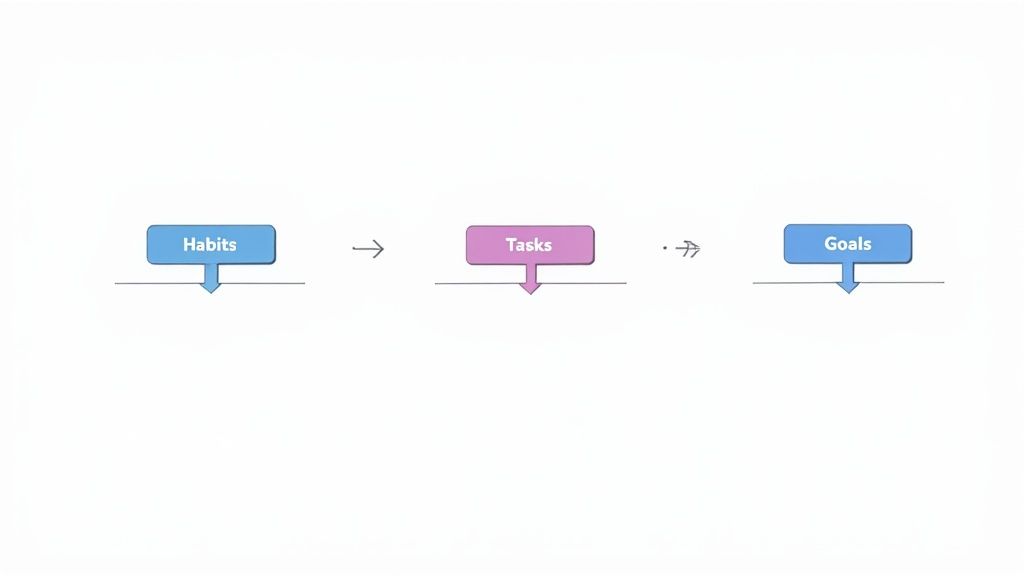
Let's be real: sticking to new habits is hard. The problem usually isn't the habit itself, but the friction that comes from juggling a bunch of different tools. You might have one app for tracking habits, another for your daily tasks, and maybe even a third for journaling. This setup is fragmented and creates tiny roadblocks that kill your consistency.
Every time you have to switch apps, you lose a little bit of focus. A Notion habit tracker solves this by pulling everything into a central hub. When your goals, daily tasks, and habits live in the same space, the workflow just makes sense.
The Power of an Integrated System
When your habit tracker is built right into the same system you use to plan your day, the link between what you do and what you achieve becomes impossible to ignore. You can literally see how waking up early (your habit) helps you knock out your most important tasks for the day (your to-do list). This integrated view constantly reminds you of the why behind your efforts.
This all-in-one approach is a game-changer. One of the biggest reasons people fall off the wagon is because they're tired of managing so many different apps. Notion cuts through that noise by letting you combine everything in one flexible workspace.
By getting rid of the friction from app-switching, you make it so much easier to just show up and do the work. Your tracker stops feeling like another chore and becomes a core part of how you plan and review your day.
Before you grab the first template you see, it helps to know what makes one genuinely effective.
Essential Features of an Effective Notion Habit Tracker
Here’s what to look for in a template to ensure it supports your goals from day one.
| Feature | Why It Matters | Real-World Example |
|---|---|---|
| Progress Visualization | Seeing your progress with charts or bars provides instant motivation and makes your efforts feel tangible. | A progress bar that fills up as you complete your goal to "drink 8 glasses of water" each day. |
| Customizable Frequencies | Not all habits are daily. A good tracker lets you set habits for weekly, monthly, or even quarterly cadences. | Tracking a "review weekly finances" habit that only appears on Sundays. |
| Goal Integration | The ability to link habits directly to larger goals keeps you focused on the bigger picture. | Connecting a "write 500 words" daily habit to your project page for "Finish First Draft of Novel." |
| Automated Resets | A template that automatically resets daily or weekly saves you from tedious manual updates. | Checkboxes that automatically uncheck themselves every morning at midnight. |
Ultimately, a great template should be more than just a data-entry tool; it should actively help you build and maintain momentum.
Beyond Simple Checkboxes
A well-designed Notion habit tracker template is far more than a static list of things to check off. It’s a living system that can grow and change with you. Unlike most standalone apps, Notion gives you the freedom to customize everything.
You can:
- Track anything you want: Go beyond daily routines to track weekly goals (like "go to the gym 3 times") or monthly milestones.
- Visualize your progress: Build custom dashboards, progress bars, and charts that give you a clear look at how far you've come.
- Connect habits to bigger goals: Link your "read 10 pages a day" habit directly to your main "Read 12 Books This Year" goal page.
This is what makes Notion so powerful. While there are plenty of great standalone tools out there, including some of the best habit tracking apps available, Notion's real advantage is letting you build a system that is one hundred percent yours.
Finding and Duplicating Your Perfect Template
The first real step toward building better habits is finding the right foundation. You need a Notion habit tracker template that clicks with your personal style. Are you a minimalist who loves clean lines, or a data nerd who wants a dashboard full of stats? The official Notion Template Gallery is the best place to start your search.
Think of it as a massive library, packed with templates built by both Notion and its incredibly creative community. You’ll find everything from bare-bones daily checklists to elaborate, gamified systems. Don't just grab the first one that looks cool - take a few minutes to really browse.
Where to Look and What to Notice
As you explore, keep an eye on a template's features and, more importantly, what other users are saying about it. Look for a layout that feels natural to you. Some are built for pure simplicity, while others come loaded with advanced features like streak counters, monthly progress reports, and detailed analytics.
Here’s a glimpse of the Notion Template Gallery, which lets you filter by category to find exactly what you need.
The variety is pretty staggering, from trackers made for specific goals like fitness to all-in-one life dashboards. The ratings and creator info are often solid clues about the quality and support behind a template.
Honestly, community feedback is your best guide. The popularity of these templates has blown up, and there's a good reason. Take the Simple Habit Tracker 2025 template, for example. It's racked up over 200 user ratings and holds an impressive 4.85 out of 5 average. A whopping 83% of its users gave it an "excellent" rating, pointing to its practical and complete design. You can explore more templates and their reviews on Notion's site.
A great template doesn't just look good - it feels good to use. If a template seems overly complicated or cluttered from the start, it's likely to create friction rather than flow.
Duplicating the Template into Your Workspace
Found one you love? Getting it into your own Notion account is dead simple. The process creates a private, editable copy that’s all yours to play with.
Here’s how you get it done:
- First, open the public link for the template you've chosen. You'll get a full preview of its layout and all its features.
- Look for a button in the top-right corner of the page, usually labeled "Duplicate" or "Get Template."
- Click it. Notion will ask you to log in if you haven't already, and then you'll just pick which of your workspaces you want to add it to.
- Let Notion do its thing for a moment. It will automatically copy the entire template into your workspace as a brand new private page.
And that's it! The template is now a part of your personal setup, completely separate from the original. You have a fresh canvas to start personalizing. This duplicated page is your new habit-building command center, ready to be shaped around your unique goals and daily routines. Now, the real fun begins.
Making the Habit Tracker Truly Your Own
A pre-built Notion habit tracker template is a great launchpad, but its real magic comes alive when you make it personal. A generic layout won't connect with your specific goals. The idea is to turn a basic structure into a motivational dashboard that you actually want to open every day.
The first, most crucial change is to sync the tracker with the habits you genuinely want to build. Your template probably came with placeholders like "Meditate" or "Workout." Let's get those swapped out for something that means something to you.
Refining Your Habit Database
Jump into the database view of your tracker. This is where the core work happens. You can simply click on any habit name to rename it. For instance, a vague "Read" becomes something much more powerful and actionable like "Read 10 Pages of Atomic Habits."
If a suggested habit just isn't for you, don't be afraid to delete it. Clean house.
Adding new habits is just as straightforward. Hit the "New" button, usually at the bottom of the database, and type in what you want to track. Maybe that’s "Practice Spanish on Duolingo for 15 minutes" or "Spend 20 minutes decluttering." The more specific you are, the easier it is to stay consistent. Clarity is your best friend here.
This quick infographic breaks down the entire personalization process, from tweaking your habits list to giving the whole thing a visual refresh.
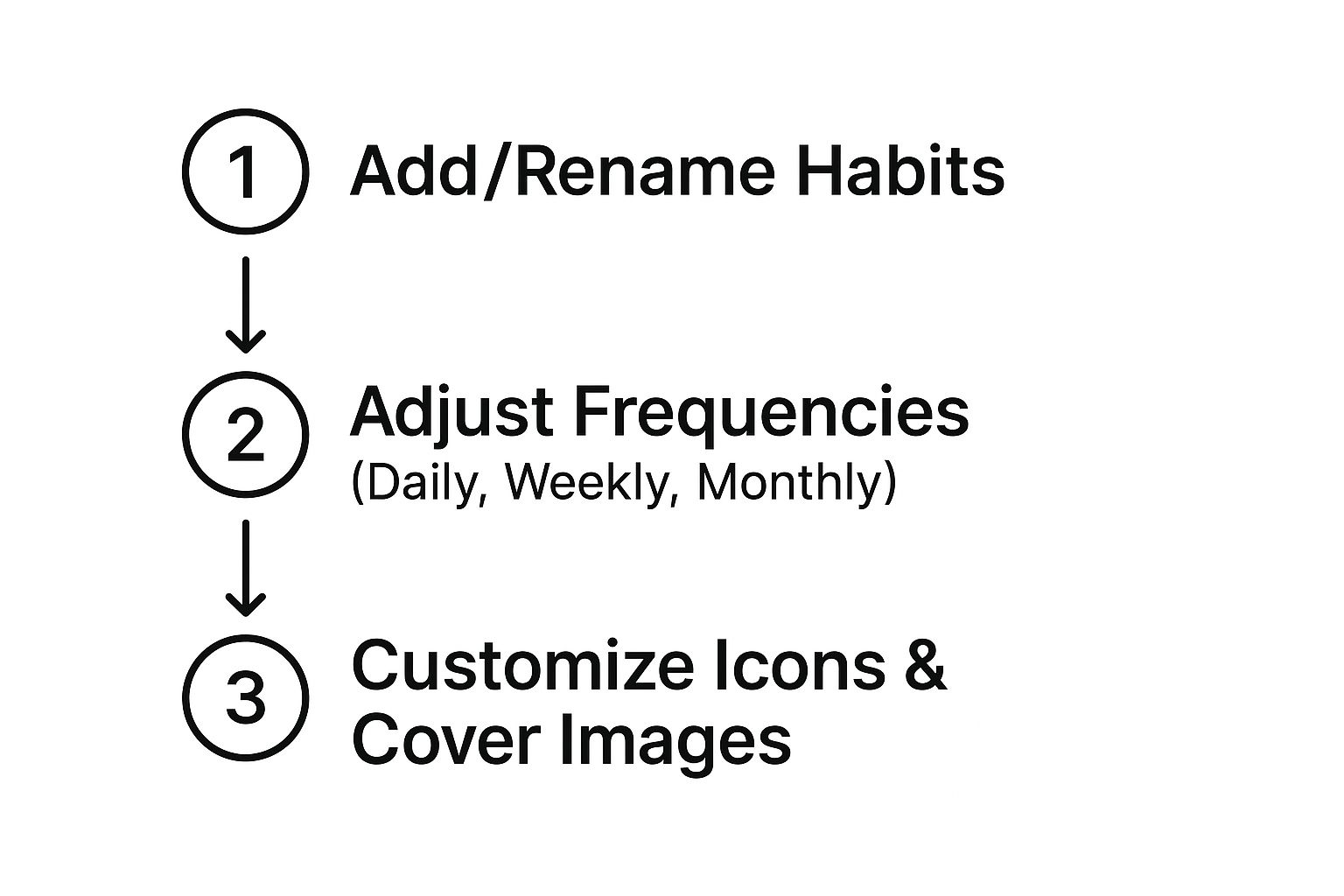
As you can see, making a tracker work for you is a mix of practical data adjustments and creative, visual touches.
Next, think about the rhythm of your habits. Not everything has to be a daily grind. Most templates default to daily tracking, but that’s easy to change. You might have weekly ambitions, like "Go to the gym 3 times," or even a monthly check-in, like "Review monthly budget."
To handle this, just add a new property to your database called "Frequency" or "Type." I recommend using a Select property so you can create tags like "Daily," "Weekly," and "Monthly."
This one small tweak is a game-changer. It lets you filter your dashboard to show only today's habits, which cuts down on the noise and keeps you from feeling overwhelmed.
Once your habits and their frequencies are dialed in, it's time for the fun part: aesthetics. This feels less like an admin task and more like creative play, which is essential for building a digital space you enjoy coming back to.
Designing an Inspiring Dashboard
You might be surprised by how much visual appeal impacts your motivation. A stark, functional tracker can feel like homework. A beautiful, inviting one can be a source of genuine inspiration.
Let's start small. Every page in a Notion database can have its own icon. Ditch the generic page icons and use emojis or custom icons that visually represent each habit.
- "Drink water" could get a droplet emoji (💧).
- "Journal" is perfect for a notebook icon (📓).
- "Workout" gets a punch with the dumbbell emoji (💪).
These little cues make scanning your list so much faster and more pleasant.
Finally, give the entire page a facelift with a new cover image. Find a photo on Unsplash or Pexels that resonates with you - a peaceful landscape, a cool abstract design, or even an image that symbolizes your end goal. This banner is the first thing you see when you open the page, setting a positive tone for your daily check-ins.
Just like that, your Notion habit tracker template is no longer just a template; it's a true reflection of your personal journey.
Bringing Your Tracker to Life with Widgets
Once you've tailored the habits and visual style of your Notion tracker, it's time to add some real interactivity. Notion’s built-in blocks are fantastic, but third-party widgets can turn your static page into a dynamic dashboard that actually keeps you motivated. These are small, embedded tools that bring a burst of visual energy and live data right into your setup.
Think of widgets as mini-apps that live inside your Notion page. They can do things Notion can't on its own, like display a live countdown to a deadline or a bold progress bar that isn't tied to your database. They’re the perfect way to add that extra motivational kick.
Finding the Right Widgets for Your Goals
The trick is to choose widgets that actually help you. A progress bar widget is a classic choice for habit tracking - it’s perfect for visualizing your progress on a big goal, like "Complete 30 Workouts in 90 Days." Another great one is a countdown timer, which builds excitement for a milestone, like the end of a 30-day challenge.
Platforms like Widgetly are built for this exact purpose, offering a whole suite of tools that slot perfectly into any Notion habit tracker template.
Here’s a quick peek at the Widgetly homepage to give you an idea of the kinds of tools you can add to your dashboard.
As you can see, there are a ton of options for taking your Notion pages well beyond what the standard blocks can do.
Embedding a Widget Step by Step
Getting a widget into your Notion page is really just a simple copy-and-paste job. Once you’ve picked a widget you like on a site like Widgetly, you'll first get to customize its look and feel - colors, fonts, and other settings - to make sure it fits right in with your tracker's design.
When you're happy with it, the platform gives you a unique embeddable link. That link is all you need.
Here’s how to get it onto your page:
- First, copy the embed link you just generated.
- Next, head over to your Notion page, type /embed, and hit Enter. This brings up a special embed block.
- Finally, paste your widget's link into the block and click the "Embed link" button.
And just like that, your new widget will pop up right on the page. From there, you can drag and resize the block to position it perfectly on your dashboard. I like to put mine right next to my main habit database or at the very top of the page so I can’t miss it.
If you want to explore more ideas, there's a great overview of different widgets for Notion on the Widgetly blog.
A well-placed widget does more than just decorate a page; it serves as a constant, visual reminder of your commitment. Seeing a countdown timer tick down or a progress bar fill up provides a powerful psychological boost that a simple checkbox can't match.
Let's say you're training for a 5K race. You could put a countdown widget right next to your daily "Go for a Run" habit. Every time you check off your run, you see the race date getting closer. This visually reinforces the link between your daily effort and the big goal, making the whole process feel more real and exciting. Your Notion habit tracker template goes from being a simple log to a true motivational command center.
Bringing Your Tracker to Life with Automation and Visuals
https://www.youtube.com/embed/Ymn2u1hzuPQ
A custom Notion habit tracker template is a solid start, but the real magic happens when you make it work for you. Let's be honest, nobody wants to spend their time manually counting checkmarks or scrolling through endless database entries. It just gets tedious.
This is where we can go beyond a simple to-do list and tap into Notion’s powerful database features. By automating your tracking and visualizing the results, you'll get a crystal-clear picture of your consistency without all the extra effort. After all, true consistency is built on understanding your patterns, and the data tells the story.
Let Formulas Do the Heavy Lifting
Think about it: you want to know your success rate for hitting the gym this month. Instead of counting up all the "Workout" boxes you checked, you can have a formula do it instantly. A simple Notion formula can count every checked box within a date range and pop out a nice, clean percentage for you.
Streaks are another huge motivator for me, and maybe for you too. You can set up a "Current Streak" property that climbs by one every day you complete a habit. Miss a day? It resets to zero. Watching that number grow is a surprisingly effective nudge to keep the chain from breaking.
There’s a reason automated features are so popular. In fact, looking at over 1,000 reviews for a top-rated template (which scored a 4.65 average rating), a whopping 77% of users raved about features like automated button check-offs. You can see for yourself how people are using these automated insights in Notion's template gallery.
Create Focused Views to Cut Through the Clutter
Staring at a giant list of every single habit can feel overwhelming. The fix? Create different database views for different situations. This way, you only see what’s relevant at that moment.
- Your "Today" View: This is your daily driver. Filter your database to only show habits with a "Daily" frequency where the date is "Today." It's your focused, clutter-free list for quick check-ins.
- A "Weekly Review" Board: I love using a board view grouped by the day of the week. It gives you a fantastic bird's-eye view of your entire week, making it easy to spot which days are your strongest or weakest.
- The "Monthly" Gallery: For a big-picture recap, a gallery view is perfect. Each card can represent a day, showing off key stats or even a cover image for a more visual summary of your month.
The whole point of creating different views is to reduce mental friction. Your "Today" view should feel light and achievable, not like a monster to-do list that makes you want to close Notion immediately.
Build a Visual Feedback Loop
Sometimes, seeing your progress is way more powerful than just reading numbers on a screen. Notion lets you build simple but incredibly effective visual feedback systems right into your tracker.
The classic example is a progress bar. With a clever formula, you can create a bar that visually fills up as you check off your habits each day. It’s that little bit of instant gratification that makes the process feel more tangible and rewarding. If you want to dive deeper into making your data look good, we have a whole guide on the best practices for data visualization.
When your Notion habit tracker template starts doing the work automatically, it stops feeling like a chore and becomes a genuine partner in your self-improvement journey.
Got Questions About Your Notion Habit Tracker?
As you start to settle into your new system, a few questions are bound to pop up. I see them all the time. Getting these cleared up early will save you a ton of headaches and help you really get the most out of your notion habit tracker template.
Let's dive into some of the most common ones I hear.
Can I Use My Notion Habit Tracker on My Phone?
You sure can. Your tracker works perfectly on the Notion mobile app, which is a lifesaver for checking things off when you're not at your desk.
Honestly, the initial setup and customization are way easier on a bigger screen. But for daily use? Your phone is ideal.
To make the mobile experience truly seamless, my advice is to create a specific, simplified view just for your phone.
Pro Tip: Set up a dedicated "Mobile View" inside your database. Then, add a filter to show only the habits for "Today." This tiny tweak hides all the other noise and makes updating on the go incredibly quick.
This way, you open the app, see a clean list of what you need to do right now, and get on with your day.
What Are the Best Habits to Track in Notion?
This is a big one. The absolute best habits are the ones that are directly tied to your personal goals. It’s so tempting to get excited and list a dozen things you want to start doing, but trust me, that's a fast track to burnout.
I always tell people to start small. Just 3-5 key habits are more than enough to build real momentum without feeling swamped.
The trick is to be specific and actionable.
- Don't just track "Read More." Instead, track "Read 10 pages."
- "Get Fit" is too vague. Track "15-minute walk."
- "Be More Mindful" is hard to measure. Try "Journal for 5 minutes."
You're tracking the small, concrete actions that lead to the bigger results you're after. This makes each habit feel totally achievable. A good notion habit tracker template is designed to make checking off these specific actions feel satisfying and simple.
How Can I Make My Notion Tracker Faster?
If your tracker starts feeling a bit slow and laggy after a while, it's almost always because the page is trying to load too much at once. A massive database with thousands of entries or a dashboard packed with complex formulas will definitely bog things down.
Luckily, the fix is pretty simple.
The quickest win is to archive old entries. Just create a new page - call it "Habit Archive" or something similar - and drag last month's (or last quarter's) data over to it. This instantly lightens the load on your main dashboard.
Another thing to watch out for is having too many database relations and rollups on your primary page. These features are powerful, but they require a lot more processing power. A cleaner, more focused dashboard isn't just easier on the eyes; it's almost always a faster one, too.