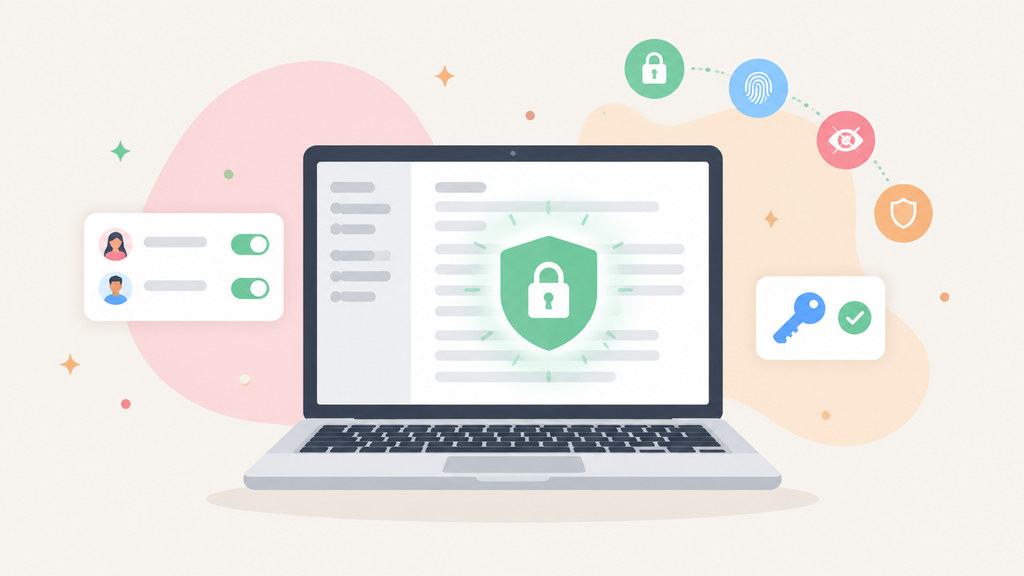
Notion Security Best Practices for Protecting Your Digital Workspace and Personal Data
Notion has become a popular workspace for organizing projects, storing documents, managing personal information, and collaborating with other people. Flexibility makes it useful, but it also means a single workspace can contain a large amount of sensitive material.
Security needs to be part of how you use Notion, rather than something considered only after a problem occurs. A few practical habits can reduce unnecessary exposure and make it harder for someone to access information they should not see.
Strong account protection, careful sharing settings, and regular permission reviews provide a solid starting point. This article explores practical Notion security best practices for protecting your digital workspace and personal data, from strengthening account security and managing permissions to reviewing shared content and limiting unnecessary access.
1. Secure Your Account and Devices
Start with the account itself. Use a strong, unique password for your Notion account and avoid reusing credentials from other services. Password reuse creates a wider risk because a compromised account elsewhere can potentially expose your Notion workspace as well.
A secure connection is another consideration, especially when working on sensitive information through public Wi-Fi. Using a privacy-focused tool such as a VPN Browser can add protection when connecting through networks you do not control.
Multi-factor authentication should also be enabled where available. An additional verification step can provide another barrier if someone obtains your password.
Device security matters too. A well-protected Notion account can still be exposed through an unsecured laptop, phone, or browser session. Keep operating systems and browsers updated, use a device lock, and avoid staying signed in on shared or public computers.
2. Review Workspace and Page Permissions
One of the easiest ways to expose Notion content is through overly broad sharing permissions. Notion pages can contain everything from project documentation to customer details, internal plans, financial information, and personal notes. Each page should therefore be shared only with the people who genuinely need access.
Before adding collaborators, check whether they need full editing rights or only permission to view content. Giving every user editing access increases the potential impact of an account being compromised or a page being changed accidentally.
Public sharing deserves particular attention. A page that is accessible through a public link may be seen by people outside the intended audience. Review shared pages regularly and disable public access when it is no longer necessary.
For context on how quickly Notion has expanded as a workplace platform, Forbes reported that the company had surpassed $600 million in annual recurring revenue, with significant growth coming from its AI products. As Notion becomes part of more workplace processes, careful access management becomes increasingly important.
3. Be Careful With Templates and Embedded Content
Templates can make it easier to organize a workspace, but users should still understand what they are adding. A template may introduce new databases, pages, embedded services, or links that deserve review before being used with sensitive information.
Widgetly's guide to Notion dashboard templates can be useful when comparing different ways to structure a workspace. From a security perspective, the important step is separating layout decisions from permission decisions. A polished dashboard does not automatically make a workspace secure.
Embedded content also deserves attention. External tools can introduce additional accounts, permissions, and data flows. Check what information an embedded service can access and whether it really needs to be connected to your workspace.
The same principle applies to widgets. Resources such as free Notion widgets can add useful features, but users should consider where the widget comes from and what information it can access before embedding it into a workspace containing private material.
4. Limit Integrations and Connected Apps
Third-party integrations can make Notion more useful, but each connection can also expand the number of systems involved in handling your data. Review connected applications periodically and remove services that you no longer use.
Give integrations only the permissions they require. A tool that needs access to one specific workflow does not necessarily need broad access to an entire workspace.
Pay close attention when connecting services used for calendars, cloud storage, project management, communication, or automation. Each additional integration creates another account or service that needs to be secured.
5. Audit Your Workspace Regularly
Security settings should not be treated as a one-time task. Workspaces change as projects end, employees leave, responsibilities shift, and new integrations are added.
Set aside time to review users, guests, shared pages, public links, integrations, and sensitive databases. Remove access that is no longer required and check whether older pages still contain information that needs protection.
It is also worth limiting the amount of sensitive information stored in a general-purpose workspace. Not every password, identity document, financial record, or confidential file needs to live in Notion. Store highly sensitive material in systems designed specifically for that purpose when appropriate.
6. Protect Personal Data Through Better Habits
Good Notion security ultimately comes down to everyday behavior. Think carefully before placing personal information into a shared page, sending a public link, or granting access to an unfamiliar collaborator.
Use clear naming conventions for sensitive pages, keep private information separated from general project content, and avoid copying confidential data into areas where broad access is required. When information no longer needs to be stored, remove it rather than allowing outdated copies to remain across multiple pages.
Notion can serve as a central workspace without becoming a central security risk. Strong account protection, careful permissions, limited integrations, and regular reviews can significantly reduce unnecessary exposure. The goal is not to make a workspace difficult to use, but to ensure that convenience does not come at the expense of control over personal and business information.