
How to Sell Digital Products Online From Idea to Income
Selling digital products online really boils down to four key moves: coming up with a great idea, creating something valuable, picking the right place to sell it, and then telling the world about it. It’s a pretty straightforward process that combines smart research with the right sales channels to build a real, sustainable business.
Your Blueprint for Selling Digital Products
Welcome to one of the most exciting corners of ecommerce. Before we get into the nitty-gritty of how to sell digital products online, it helps to have a clear roadmap. You might be surprised at how accessible building a digital product business is, and this guide is here to walk you through it all.
Think of this as your quick-start guide. It’s designed to give you the clarity and confidence to get moving. The whole journey can be broken down into four essential stages:
- The Idea: This is where it all starts. You'll find a profitable niche by zeroing in on a specific problem that a specific group of people has.
- The Creation: Next, you build the actual product. The goal is to create a high-value solution that directly solves the problem you identified.
- The Platform: Here, you decide where your product will live. Will it be on your own website, a popular marketplace, or an all-in-one platform?
- The Marketing: Finally, you map out a plan to get in front of your first customers and start making consistent sales.
This visual flow chart gives you a bird's-eye view of this simple, four-step process.
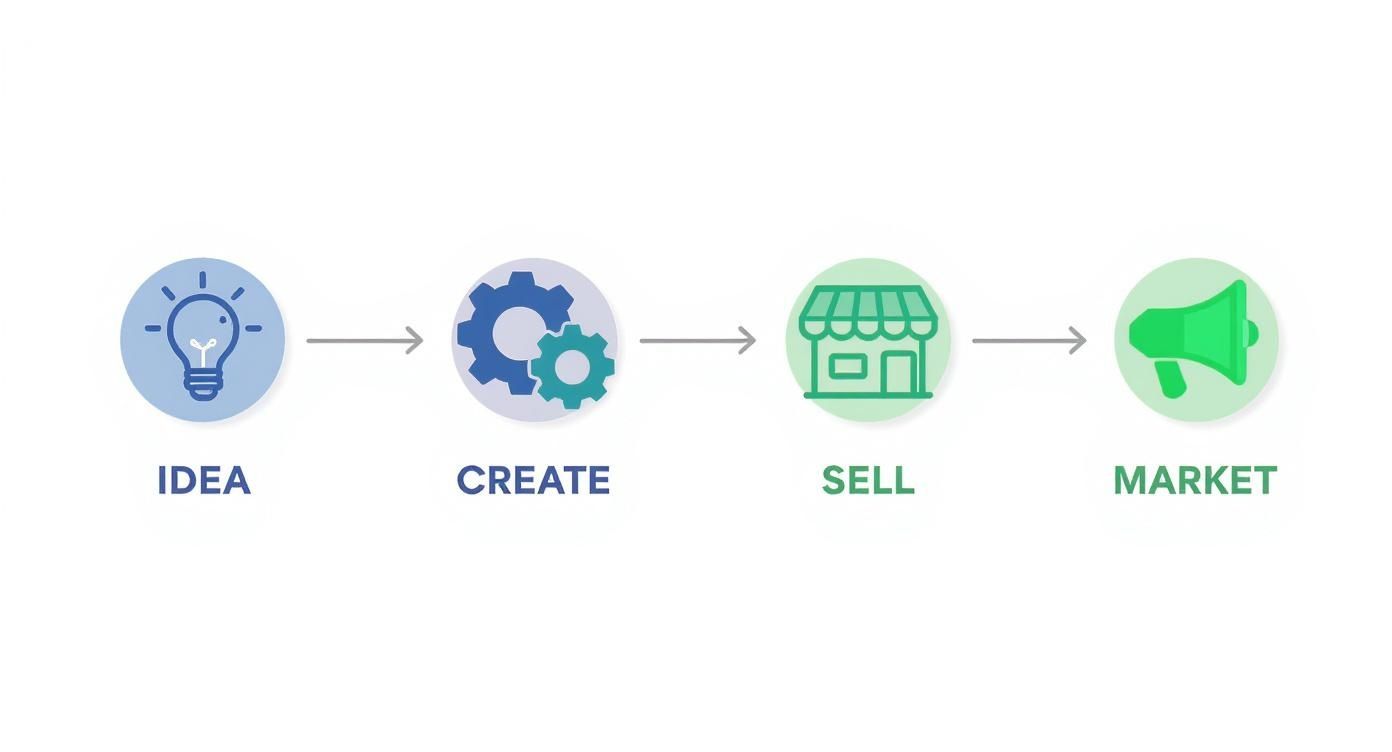
As you can see, each stage logically flows into the next, taking you from a simple spark of an idea all the way to a finished, marketable asset.
Understanding the Opportunity
The move to digital everything is undeniable. By 2025, the global ecommerce market is expected to hit roughly $7.4 trillion in sales. That’s nearly 24% of all retail spending on the planet.
This means almost one out of every four dollars will be spent online, opening up a massive opportunity for creators like you. For anyone selling digital products, this is especially good news since you can deliver your goods anywhere in the world with very little overhead. You can find more insights on these ecommerce trends on sellerscommerce.com.
The Digital Product Sales Roadmap
To give you a high-level overview, the table below outlines the core stages involved. It's a handy cheat sheet you can reference as you progress through this guide, keeping your goals for each phase clear and actionable.
| Stage | Primary Goal | Key Activities |
|---|---|---|
| 1. Ideation & Research | Validate a profitable product idea. | Brainstorming, market research, competitor analysis, audience surveys. |
| 2. Product Creation | Build a high-value, problem-solving product. | Outlining content, designing assets, writing copy, beta testing. |
| 3. Platform & Setup | Choose and configure your sales channel. | Selecting a platform, setting up a storefront, integrating payments. |
| 4. Marketing & Launch | Drive traffic and generate initial sales. | Creating a launch plan, email marketing, content marketing, paid ads. |
| 5. Post-Sale & Growth | Nurture customers and scale the business. | Gathering feedback, providing support, upselling, refining marketing. |
The key isn't just to create something digital; it's to solve a real-world problem for a specific audience. Your success hinges on understanding their pain points and offering a direct, valuable solution.
This structured approach ensures you focus on the right activities at the right time. It helps prevent that feeling of being overwhelmed and allows you to build real momentum. We’ll dive deep into each of these stages in the sections that follow.
Finding and Creating a Product People Will Buy
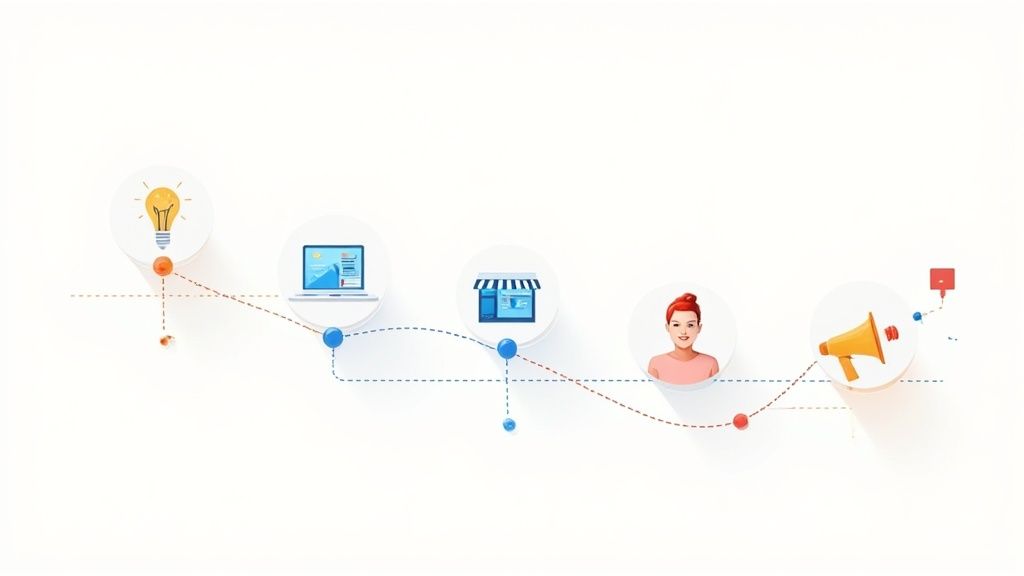
Here’s a hard truth: the success of your entire online business boils down to one thing. You have to create something people genuinely need and are happy to pay for. It’s so easy to get lost building what you think is a great idea, but the real wins come from solving a specific problem for a specific group of people. Getting this right is the absolute bedrock of selling digital products online.
So, before you build anything, put on your detective hat. Your first job is to uncover the real-world frustrations, pain points, and desires of your target audience. What are they stuck on? What questions pop up again and again in the online spaces they frequent? This research isn't just a suggestion - it's the single best way to avoid wasting months building something nobody wants.
And the opportunity is massive. Digital products aren't some small niche; they're a colossal slice of e-commerce, projected to generate over $2.5 trillion in global value by 2025. With 68% of internet users paying for digital content every month, the demand is clearly there. You just have to create the right supply. You can see more on these digital product statistics and what they mean for creators at whop.com.
Uncovering Profitable Product Ideas
A winning idea rarely comes from a flash of genius. More often, it comes from listening. Your future customers are already gathering online and talking about their problems - you just need to find them and pay attention.
Start digging in these digital goldmines:
- Social Media Groups: Dive into Facebook groups, LinkedIn communities, or subreddits related to your field of expertise. Keep an eye out for those recurring questions or common complaints.
- Online Forums: Niche forums for photographers, developers, or entrepreneurs are fantastic places to spot unsolved problems.
- Q&A Sites: Platforms like Quora show you exactly what people are trying to figure out. The most upvoted questions in your niche are basically a ready-made list of product ideas.
As you explore, take notes on the exact language people use. If you see ten posts asking, "How do I make a content calendar that I'll actually stick to?" you've just found a potential idea for a set of Trello templates or a bite-sized video workshop.
A great digital product doesn’t have to change the world. It just needs to be a focused, high-value solution to a common, nagging problem. You're selling a shortcut to a desired result.
From Idea to Actionable Product
Once you’ve locked onto a problem worth solving, it's time to think about the format. The best product format is simply the one that delivers the solution in the most direct and useful way.
Some of the most popular digital product types include:
- Ebooks and Guides: Perfect for packaging deep, structured knowledge on a single topic.
- Templates and Planners: These are pure shortcuts. Think social media graphic templates, budget spreadsheets, or project management dashboards. They save people time and mental energy.
- Online Courses or Workshops: The best choice for teaching a hands-on skill or walking someone through a complex process from start to finish.
- Software and Tools: This could be anything from a simple WordPress plugin to a specialized web app that automates a painful, repetitive task.
Let's say a freelance designer notices that almost every new client struggles with brand consistency. Instead of writing a generic "branding guide," she could create a "Brand Identity Starter Kit." This product could bundle a few logo templates, a color palette generator, and a font-pairing cheat sheet - all designed to solve that one specific, recurring problem. For a deeper look at this process, check out our guide on how to create digital products your customers will love.
The Creation Process Simplified
Bringing your product to life doesn't have to be overwhelming. The secret is to break the process into small, manageable chunks and lean on simple tools. Your primary goal is to deliver on your promise, not to create a flawless masterpiece right out of the gate.
Outlining and Content Creation Always start with a simple outline. What transformation are you promising your customer? Map out the chapters for your ebook or the modules for your course. Every single piece should move them one step closer to their goal.
Choosing Your Tools You really don't need fancy, expensive software to get started.
- For ebooks, Google Docs or a free Canva account work beautifully.
- For video courses, a simple screen recorder like Loom is often all you need.
- For templates, powerhouse tools like Notion, Figma, or Google Sheets are both accessible and incredibly capable.
The goal here is to create a professional-looking product without getting bogged down by technology. Remember, the real value is in the solution you're providing, not the complexity of the tools you used to build it.
Picking the Right Place to Sell Your Products

Okay, you've created your product. Now for the million-dollar question: where are you actually going to sell it? This isn't just a small detail; it's a decision that shapes how much you earn, what your customers experience, and how much control you have over your brand.
It’s easy to get overwhelmed by all the choices out there. To keep things simple, your options really come down to three main routes, each with its own pros and cons. Let's break them down.
H3: The "All-in-One" Platform Approach
If your goal is to get up and running with zero technical headaches, an all-in-one platform is your best friend. These services are built for creators. They manage the tricky stuff like file hosting and payment processing so you can just focus on making and marketing your product.
Platforms like Gumroad, Podia, and ThriveCart fall into this category. You can literally have a professional-looking sales page live and be ready to take orders in an afternoon.
The trade-off? You pay for that convenience, usually through transaction fees. Gumroad, for instance, takes a 10% fee on each sale until you hit certain revenue goals. It might sound steep, but for many new sellers, swapping a percentage of sales for a hassle-free launch is a fantastic deal.
H3: Building Your Own Digital Storefront
For those who want total control, nothing beats building your own e-commerce store. Think of it as owning your digital real estate. You're not at the mercy of another platform's rules, algorithm changes, or fee hikes. You get to craft every single part of your customer's journey.
The two heavyweights in this space are Shopify and WordPress (with the WooCommerce plugin).
- Shopify: An incredibly powerful and user-friendly choice. It handles the backend tech for you and has a massive app store for adding features. The catch is the monthly subscription fee.
- WooCommerce: A free, open-source plugin that turns any WordPress site into a full-blown store. It offers endless customization but puts you in charge of hosting, security, and updates.
This path typically has the lowest transaction fees and gives you the power to build a truly unique brand. Just be prepared for a steeper learning curve and more hands-on work.
Ultimately, this choice boils down to convenience versus control. Do you want a platform to handle the heavy lifting for a fee, or are you willing to manage your own store for more flexibility and lower long-term costs?
H3: Selling on an Established Marketplace
Your third option is to list your products on a huge, established marketplace like Etsy. The single biggest advantage here is the built-in audience. Millions of people are already on these sites every day, actively looking for things to buy. You get to tap into that traffic from day one.
For example, if you sell unique resume templates, listing them on Etsy instantly puts you in front of people searching for that exact thing. You're borrowing the marketplace's credibility and search power.
But this comes with serious drawbacks. You're basically a small fish in a massive pond, and the competition can be brutal. Branding is limited, and the platform takes its cut through various listing and transaction fees. Plus, you get very little direct access to your customer data, which makes building a long-term relationship much harder.
Comparing Digital Product Sales Platforms
To help you decide, here’s a quick breakdown of the three paths. Think about where you are today and where you want your business to be in a year or two.
| Platform Type | Best For | Pros | Cons |
|---|---|---|---|
| All-in-One Platforms | Beginners and creators who prioritize simplicity and speed. | Fast setup, handles all tech, easy to use. | Higher transaction fees, less customization. |
| Your Own Store | Entrepreneurs focused on long-term brand building and control. | Full customization, lowest fees, own customer data. | Higher initial setup, more technical responsibility. |
| Marketplaces | Sellers with visually appealing products targeting a broad audience. | Built-in traffic, trusted platform, easy to start. | High competition, platform fees, no brand control. |
Choosing the right platform is all about matching it to your budget, your technical skills, and your business goals. A new creator might start on Gumroad just to test the waters, while someone with a long-term vision might go straight to building a Shopify store.
The good news? This decision isn't set in stone. You can always move to a different platform as your business grows and your needs change.
How to Price Your Product and Get Paid
Alright, let's talk about the part that trips up almost every new creator: pricing. How much is too much? How low is too low? It can feel like you're just guessing.
The good news is, pricing digital products is more of an art than an exact science. You have room to experiment and find the sweet spot.
Here’s the biggest mistake I see people make: they price their product based on the hours they spent creating it. Your customer doesn't care about your time; they care about their results. You have to price based on the value and transformation you deliver.
Think about it this way: if your $49 ebook saves a freelancer 10 hours of tedious work, they've just made a huge return on that small investment. Your price is a signal. It tells the customer about the quality and outcome they can expect, so don't be afraid to charge what your solution is truly worth.
Choosing Your Pricing Model
You're not stuck with just one way to sell. Different pricing models work better for certain products, and figuring out which one fits yours is key to making more money.
Here are the three most common approaches that I've seen work time and time again:
- One-Time Purchase: This is as straightforward as it gets. A customer pays once and gets access forever. It's the perfect model for things like ebooks, design templates, and standalone workshops. The transaction is clean, simple, and easy for the customer to understand.
- Subscription Model: This is where customers pay a recurring fee - usually monthly or yearly - for ongoing access. It's a fantastic fit for software, private communities, or content libraries that you're constantly updating. The real magic here is predictable, recurring revenue, which is a total game-changer for stabilizing your business.
- Tiered Pricing: With this strategy, you offer a few different versions of your product at different price points. A "Basic" tier might just be the core product. A "Premium" tier could add bonus materials, personal support, or access to an exclusive group. This lets you appeal to people with different budgets and needs all at once.
Pro Tip: If you go with tiered pricing, always highlight one option as the "Most Popular." This is a classic psychological nudge called social proof. It gently guides people toward the choice you want them to make and almost always boosts your average sale amount.
For example, you could structure an online course with tiers. The first tier is just the self-paced video lessons. The second adds downloadable workbooks and templates. The top tier could include live group coaching calls for a much higher price.
Setting Up Your Payment System
Once you've picked a price, you need a way to actually collect the money. That's where payment gateways come in. These are the services that securely handle credit card transactions and make the whole checkout process feel safe and professional for your customers.
The two biggest names you'll run into are Stripe and PayPal. They're both trusted by millions, are pretty easy to set up, and have competitive fees. Most modern platforms you’d use to sell your product, from Gumroad to Shopify, let you connect these with just a few clicks.
As you get set up, pay close attention to the transaction fees. They're usually a small percentage plus a fixed amount per sale (like 2.9% + $0.30). You absolutely have to factor these costs into your pricing, or they'll eat away at your profit.
A smooth, secure checkout is non-negotiable. A clunky or shady-looking payment page will kill a sale faster than anything else. Make sure your checkout page works well on mobile, only asks for the info it truly needs, and displays security badges clearly.
For a full deep-dive, our guide on payment processing for small businesses walks you through every detail. Nailing this frictionless payment experience builds the trust you need to turn a curious visitor into a happy customer.
Getting Your Digital Product in Front of the Right People
You've built something great. Now, how do you get it to sell? This is the part that trips up a lot of creators. Marketing isn't just about making noise; it’s about building a reliable system that brings in consistent sales.
The goal isn't a huge, flashy launch that dies down after a week. What we're after is a steady stream of sales that keeps coming in long after the initial excitement. This means blending smart, long-term strategies with a few targeted tactics to kick things off.
Let's break down the marketing toolkit you'll need to build real momentum, from attracting interested buyers to creating a sales page that actually works.
First Things First: Build Your Audience
If there's one marketing asset you should obsess over, it's your email list. Forget social media algorithms for a second. Your email list is a direct line to your audience - one that you completely own and control. It’s hands-down the most dependable way to sell anything online.
Before you even think about launching, your main job is to gather a small but mighty group of people who are genuinely interested in what you have to offer. The best way to do this? Give them something valuable for free in exchange for their email.
This little freebie is often called a lead magnet. It could be anything, as long as it gives them a quick win:
- A simple checklist or worksheet
- A mini-ebook or a sneak-peek chapter from your main product
- A free 5-day email course
- A high-quality template related to your niche
Let's say you're selling a complete project management system built in Notion. Your lead magnet could be a "5-Day Productivity Planner" template. It solves a small problem, shows off the quality of your work, and gets them excited for what the full product can do.
Crafting a Sales Page That Sells
Your sales page has one job and one job only: to convince the right person that your product is the answer they’ve been searching for. It doesn't need to be fancy, but it absolutely must be clear, persuasive, and focused on them, not you.
A sales page that converts usually has a few key ingredients working in harmony:
- A Killer Headline: Grab their attention immediately by speaking to their biggest pain point or ultimate desire.
- Twist the Knife (A Little): Clearly describe the problem they're stuck with. Use the same words they would use. Show them you get it.
- Introduce the Solution: Position your product as the clear, obvious fix for that problem.
- Paint a Picture of the "After": This is crucial. Don't just list features; talk about the transformation. How will their life be better once they have your product?
- Show, Don't Just Tell: Add testimonials or reviews. Even one or two quotes from real people can build a massive amount of trust.
- A Clear Call to Action: Make the "buy" button big, bold, and obvious. Use direct language like "Get Instant Access" or "I Want This!"
Think of your sales page copy as a conversation. Write with empathy, focus on the real-world results, and skip the corporate jargon.
Not sure how to get testimonials? Just email your first few customers and ask for their honest thoughts. Their words will always be more powerful than your own.
How to Promote Your Product - Now and for the Long Haul
Okay, you've got your audience and your sales page. It's time to get some eyeballs on it. The trick is to show up where your potential customers are already hanging out.
Content Marketing & SEO This is your long-game. Creating genuinely helpful blog posts, YouTube tutorials, or guides related to your product's topic is like planting seeds. If you sell Lightroom presets, an article on "How to Edit Moody Landscape Photos" could bring you motivated buyers from Google for years. You just have to make sure you're optimizing it so people can find it.
Social Media Use social media to tell the story behind your product, not just to shout "buy now!" Share behind-the-scenes glimpses of your process, post customer success stories, and offer bite-sized tips that give a taste of your product's value. It’s all about genuine connection, not constant pitching.
Partnerships & Collaborations Find other creators in your space who serve a similar audience but aren't direct competitors. You could write a guest post for their blog, co-host a webinar, or even set up a simple affiliate deal where they get a cut of every sale they send your way. This is a fantastic way to "borrow" trust from an established creator and get your product in front of a warm audience. Building these kinds of relationships is a core part of figuring out how to increase revenue sustainably.
Got Questions About Selling Digital Products? We've Got Answers
As you dive in, you're going to have questions. That's not just normal; it's a sign you're taking this seriously. Getting into the world of digital products means figuring out everything from legal stuff to customer service.
Think of this as your personal cheat sheet for the most common hurdles. I'll give you the straight-up, practical answers I've learned over the years to help you move forward confidently.
How Do I Handle Copyrights and Licenses?
This is a big one, and it's smart to tackle it from day one. Protecting your work is the foundation of a real business.
Here's the good news: when you create something original, whether it's an ebook, a course, or a pack of design templates, you automatically own the copyright. You don't need to file any fancy paperwork for that basic protection. It gives you the exclusive right to sell and distribute what you've made.
But the real key is being crystal clear about what your customers can and can't do with your product. That’s where licensing comes in.
- Personal Use License: This is the standard for most products. It means the buyer can use it for themselves, but they can't resell it, share the files, or give it away. Simple.
- Commercial Use License: This license lets the customer use your product in their own for-profit work. A good example is a web designer buying your font to use in a client's logo. Naturally, this license should come at a higher price.
Your product description and terms of service need to spell out the license type, loud and clear. This one simple step saves you so many headaches down the road by preventing misunderstandings and protecting everyone involved.
What About Customer Support Without Getting Drowned in Emails?
The fear of being buried in an endless stream of customer emails is real. But honestly, managing support doesn't have to take over your life. The secret is to be proactive and set up systems that answer questions before people even have a chance to ask them.
Your best defense is great documentation.
A solid FAQ page is your front line. Pay attention to the questions you get asked repeatedly and post the answers for everyone to see. If you sell software, maybe that's a library of quick tutorial videos. If you sell templates, a simple PDF setup guide can work wonders.
When you do get direct messages, be efficient. I highly recommend creating "canned responses" or text snippets for the usual questions. Most email clients have this feature, and it's a massive time-saver. You're not typing the same answer ten times a day.
How Can I Scale This From a Side Hustle to a Full-Time Income?
Going from a side project to your main gig is a marathon, not a sprint. It almost never happens overnight. The whole journey really boils down to one thing: creating a repeatable system for making sales.
First, you have to know your numbers. Get comfortable tracking your monthly sales, your website's conversion rates, and where your traffic is coming from. This data is pure gold - it tells you exactly what's working so you can do more of it. If you discover that 70% of your sales are coming from a single blog post, that’s a flashing neon sign telling you to create more content just like it.
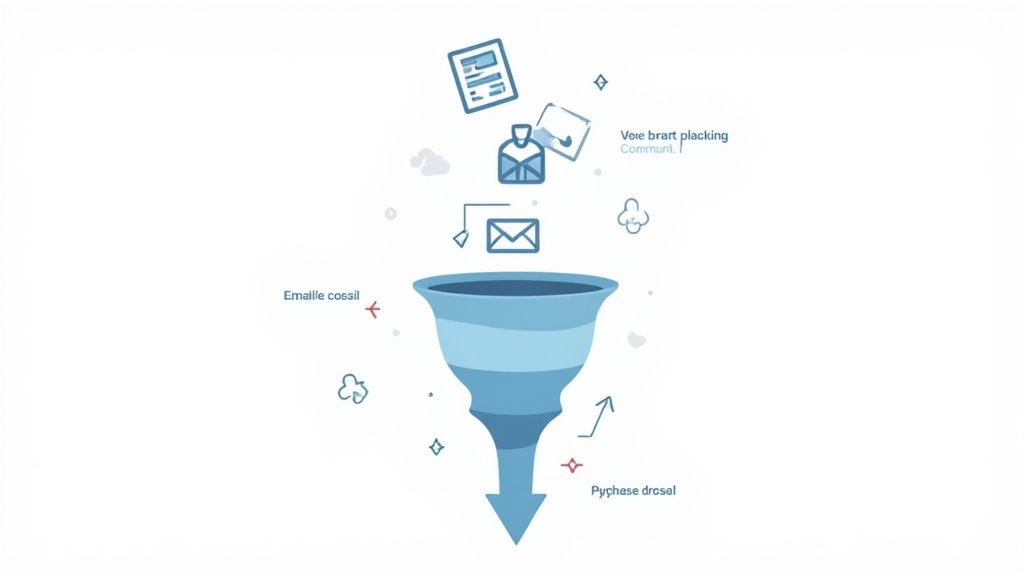
Next, shift your focus to building automated sales funnels. A classic setup looks like this:
- Get Leads: Offer something valuable for free (a lead magnet) to get interested folks on your email list.
- Build Trust: Set up an automated email sequence that delivers more value and gently introduces your paid product.
- Make the Offer: Point them toward your sales page with a clear, compelling call to action.
A system like this works for you 24/7, even while you're sleeping. As your revenue starts to climb, reinvest it wisely. Maybe that means running some paid ads to your best-performing content or hiring a virtual assistant to handle the support emails. That frees you up to do what you do best: creating new products and growing the business.